Coming soon to the Mac App Store
Free. No account, no subscription, no telemetry. macOS 12 (Monterey) or later.
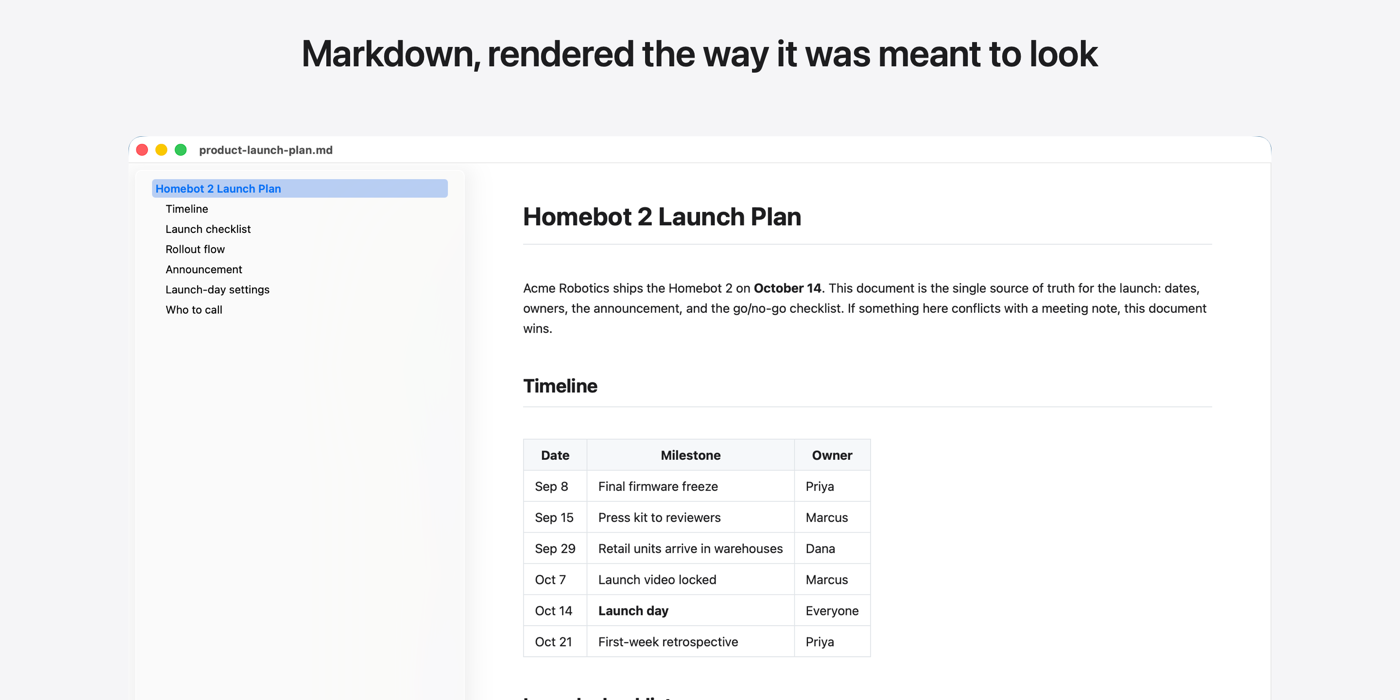
Pro Markdown Viewer is a fast, native macOS reader that turns any markdown file into a clean, readable document. Double-click a .md file and read it the way it was meant to look: real typography, a table of contents sidebar, images, tables, footnotes, working links, and Mermaid diagrams rendered inline. It's a reader, not an editor: keep writing in VS Code, vim, Cursor, or TextEdit, save, and the rendered view updates in place.
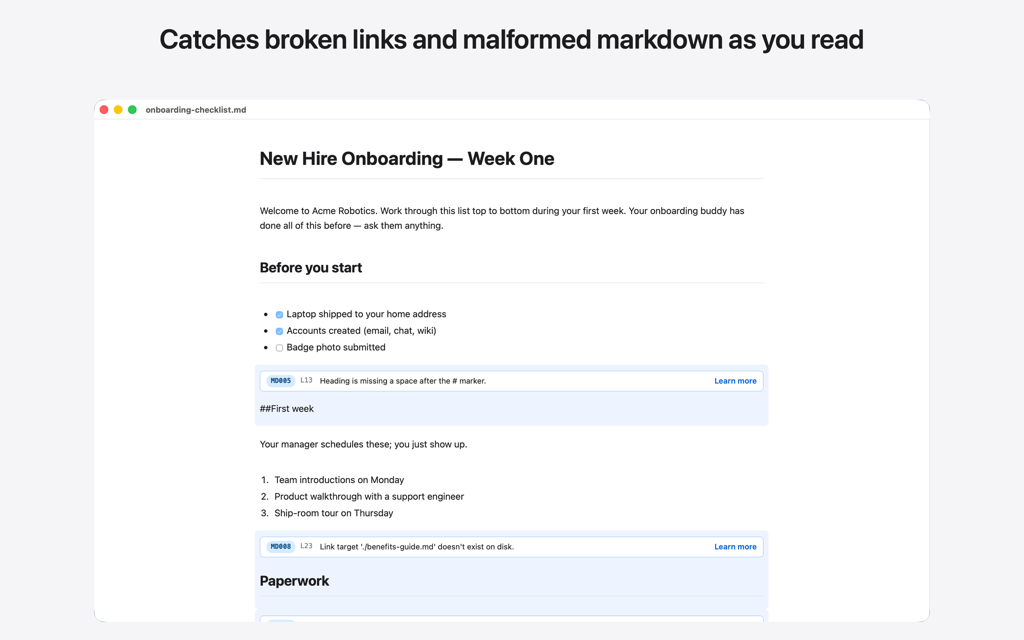
Validation that reads with you: broken links and malformed structure get inline banners next to the block they belong to
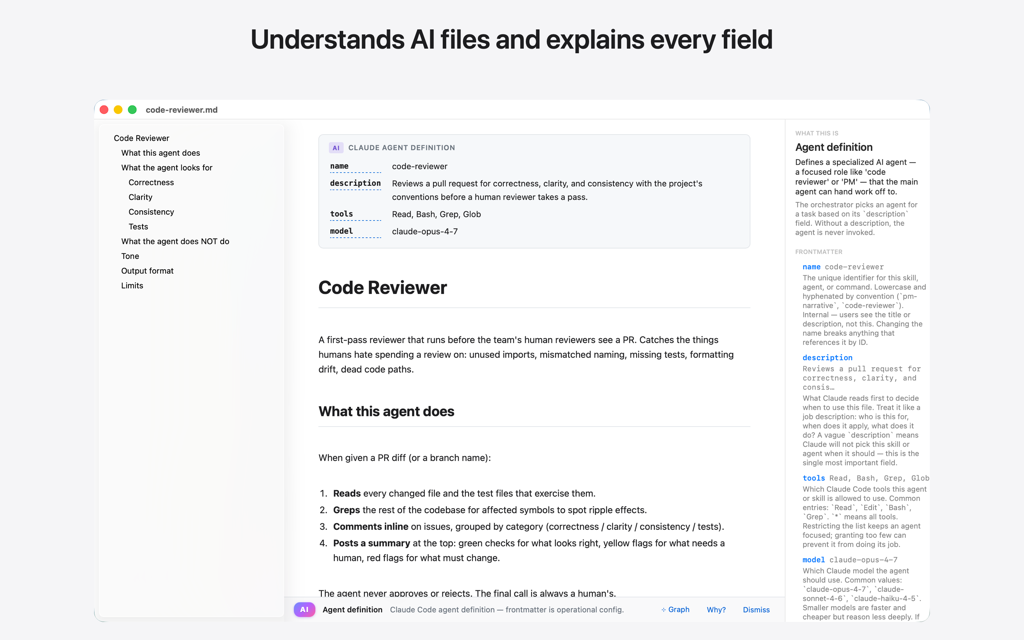
Knows what an agent, a skill, or a CLAUDE.md is: frontmatter becomes a card, and every field is one click from a plain-English explanation

54 annotated AI examples across Claude, ChatGPT, Cursor, Gemini, and Copilot: search, filter, and save any one as a clean starter
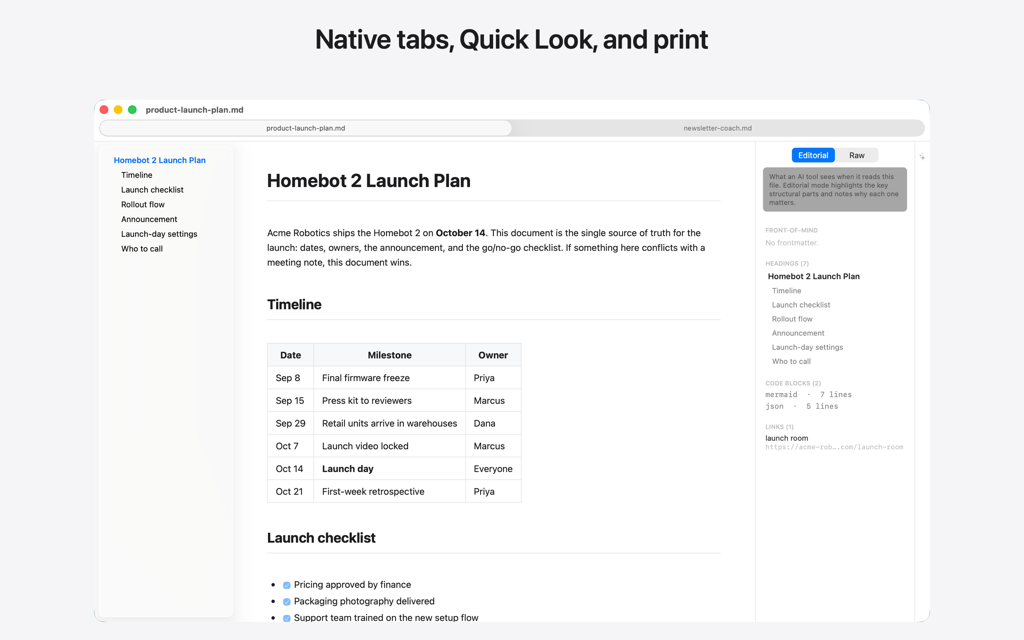
A Mac app through and through: native tabs, find inside the rendered document, print
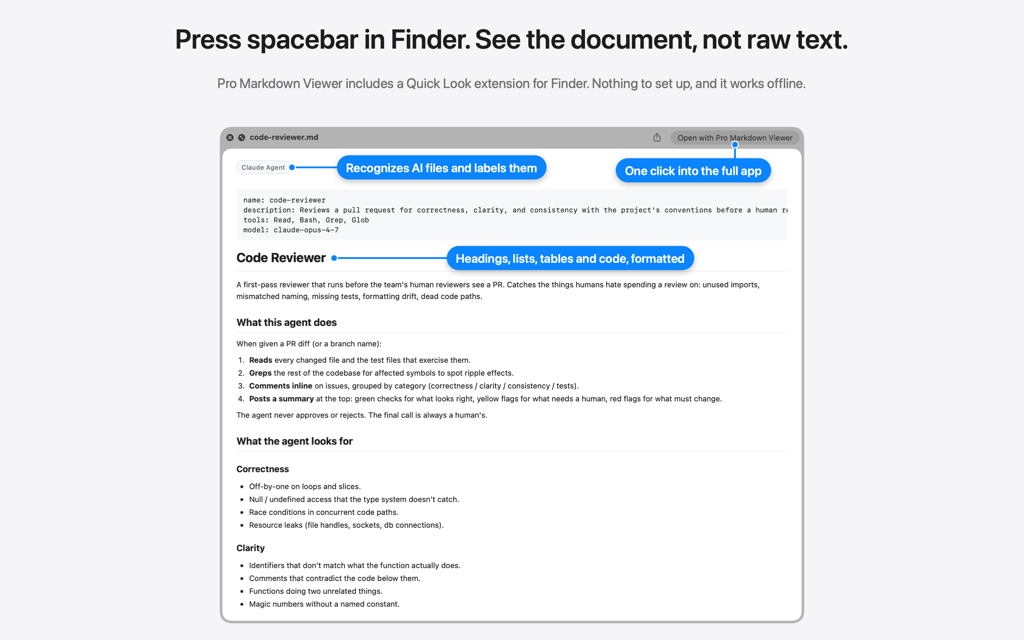
Quick Look in Finder: formatted markdown, not raw text
Select a .md or .markdown file in Finder and press the spacebar. Quick Look shows formatted markdown instead of raw text: headings, lists, tables, blockquotes, links, inline code and fenced code blocks, using the same bundled parser as the full app. Files recognized as a Claude skill, a Claude agent, a slash command or CLAUDE.md project instructions get a small label at the top of the preview, and YAML front matter shows as a code block.
The preview follows the system light or dark appearance, works entirely offline, and ships inside Pro Markdown Viewer with nothing to install separately. Open the file in the app for Mermaid diagrams, images, validation and the Explain panel.
Private by design
No account, no analytics, no telemetry. The renderer is bundled into the app, so displaying a file makes zero network requests and everything works offline, Quick Look previews included. The whole policy fits on one page: read the Pro Markdown Viewer privacy policy.
More from Alec
If you present from your Mac, Pro Mouse highlights where you point and Pro Stage keeps you on screen. And KeyPeek shows every keyboard shortcut of the app you're in. And Screenjack turns your Mac or iPad into a monitor for anything with HDMI out.
Coming soon to the Mac App Store
Free. No account, no subscription, no telemetry. macOS 12 (Monterey) or later.